


Introduction
Internet usage habits are shifting faster than ever. Browsing is no longer just about opening websites; it is about how we interact with information. Today, AI browsers are changing how we search, read, and work online. These browsers are smarter than the ones we used years ago because they understand user behavior and can summarize long articles in seconds. They even predict what a user might need next, making the entire experience feel more like having a personal assistant than just a software tool.
Unlike traditional browsers, an AI browser actively assists you. It combines machine learning with standard web technology to deliver a personalized browsing experience that is faster and easier to navigate. By 2025–26, these smart web browsers are becoming essential tools for everyone. Students use them to research complex topics faster, while professionals rely on them to save time during a busy workday. With features like automation and smart recommendations, AI-powered browsing is setting a new standard for how we use the internet.
What Is an AI Browser?
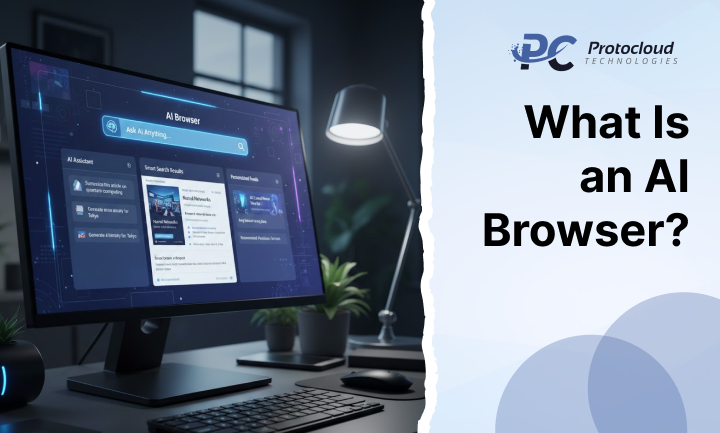
An AI browser is a modern web browser that uses artificial intelligence to improve every part of your online journey. While a traditional browser simply displays a page, an AI browser learns from your actions and predicts your preferences. This means it can offer real-time assistance, such as translating a page instantly or finding the best price for a product you are looking at. For example, Microsoft Edge with Copilot or Opera AI are leading the way by turning the browser into a digital assistant browser.
The main difference between the old way and the new way is intelligence. Traditional browsers are passive; they show information but don’t “think” about it. An AI browser, however, analyzes the data on the screen. It understands the context of what you are reading and provides AI search suggestions to help you find better results. Over time, an intelligent browser adapts to your specific style, creating a smoother and more efficient workflow.
Core Differences and Working Mechanics
-
- Machine Learning Integration: These browsers use background algorithms to study how you interact with tabs and websites. If you always check sports scores at 9:00 AM, the browser might have that tab ready for you. This browser automation reduces the number of clicks needed to get things done.
- Natural Language Processing (NLP): This technology allows you to talk to your browser or type questions in plain English. Rather than using short keywords like “weather Paris,” you can ask a full question such as, “Will it rain in Paris today?” and the AI chat assistant will give you a direct answer.
- Real-Time Data Filtering: AI-powered tools can filter out “noise” or clickbait, highlighting the most important parts of a news story or research paper. This makes AI-powered browsing feel much cleaner and more focused than traditional surfing.
How AI Browsers Work
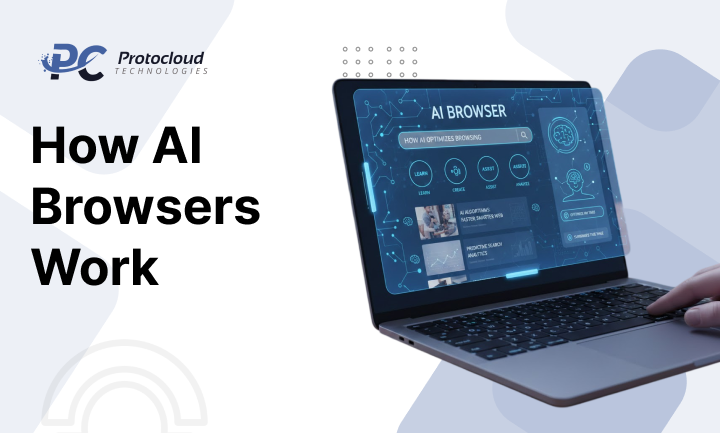
AI browsers rely on advanced technologies to deliver smart results. At their core, they use machine learning, natural language processing (NLP), and AI engines. These systems help the browser understand user intent.
Here’s how they work:
- AI-powered search suggestions deliver faster and more relevant results
- Smart content summarization turns long articles into short, clear summaries
- Automated task assistance handles forms, emails, and scheduling
The browser studies user behavior over time. With regular use, it becomes better at predicting needs. This makes AI-powered browsing more accurate and efficient.
Many intelligent browsers also include AI chat assistants. These tools can explain content, save key information, and suggest related resources. This level of browser automation saves time and reduces effort.
Together, these systems improve speed, accuracy, and usability. This is what separates AI browser technology from traditional browsing tools.
Key Features and Benefits of AI-Powered Browsing

The features found in a modern AI browser are designed to boost productivity and keep you safe. One of the most popular features is content summarization. If you find a long, ten-page report, the smart web browser can give you a three-bullet point summary in a heartbeat. Additionally, these tools often come with built-in AI-powered productivity tools like grammar checkers, tone adjusters for emails, and even image generators.
Using an AI browser provides several major advantages for the average user. One of the biggest advantages is the time it helps you save. Instead of clicking through ten different links to find an answer, the AI search suggestions often provide the answer directly in the search bar. Second, security is much tighter. AI can detect phishing patterns much faster than a human can, blocking dangerous sites before they even load. Finally, the level of personalization ensures that the internet feels tailored to your specific interests and needs.
Challenges and Future Outlook
Despite the many strengths of AI-powered browsing, there are some challenges to consider. Data privacy is a big topic because an AI browser needs to learn from your behavior to be helpful. This means users must be careful about what data they share. There is also the risk of “AI hallucinations,” where the browser might provide a summary that is slightly inaccurate. However, as AI browser technology improves, these errors are becoming much less common.
Looking ahead, the future of the intelligent browser is incredibly bright. We are moving toward a world where your browser will manage your entire digital life. It might schedule your meetings, organize your files, and even help you collaborate with teammates in real-time. As more people adopt these smart web browsers, the line between the browser and the operating system will start to disappear.
What to Expect in the Coming Years
- Hyper-Personalization: Browsers will not just remember your passwords; they will remember your “intent.” They will know if you are in “work mode” or “relax mode” and change the interface to match your current needs.
- Advanced Security: Future AI browsers will likely use biometric data and AI-driven encryption to make identity theft almost impossible while you are surfing the web.
- Seamless Voice Control: We will likely move away from typing entirely. You will be able to navigate the entire web using only voice commands, making the internet more accessible for everyone.
Are AI Browsers Worth Using in 2025 and Beyond?
Yes. AI browsers are no longer experimental. They are stable, reliable, and practical. As the internet grows more complex, users need tools that reduce overload.
Students benefit from quick learning tools. Professionals rely on AI-powered productivity tools. Businesses gain insights and automation. Even casual users enjoy smoother browsing with less effort.
What makes artificial intelligence browsers unique is adaptability. They learn continuously. They adjust to intent. They improve with use. This makes them a long-term upgrade, not a short trend.
Final Verdict
Are AI browsers worth using in 2025 and beyond? The answer is a clear yes. They are no longer just experimental projects; they are stable, reliable, and highly practical tools. Whether you are a student, a business owner, or just someone who likes to browse social media, an AI browser makes the experience better. It acts as a digital assistant browser that works for you, helping you cut through the clutter of the modern internet.
In conclusion, the shift to AI-powered browsing represents a major evolution. By adopting a smart web browser today, you are giving yourself a competitive edge. You will work faster, stay safer, and enjoy a more personalized version of the web. The era of the passive browser is over, and the era of the intelligent browser has officially begun.
Would you like me to compare the specific features of the top AI browsers like Edge, Opera, and Brave for you?
FAQs
1. What is the difference between an AI browser and a traditional browser?
AI browsers personalize and automate browsing. Traditional browsers only display content.
2. Can AI browsers affect privacy?
Some data is collected, but most browsers offer strong privacy controls.
3. Which AI browsers are popular in 2025?
Microsoft Edge with Copilot, Opera AI, and Brave AI lead the market.
4. Do AI browsers improve productivity?
Yes. They reduce manual work and speed up tasks.
5. Are AI browsers good for businesses?
Yes. Businesses use them for research, insights, and efficiency.
6. Are AI browsers future-proof?
With ongoing AI development, they will remain essential digital tools.





























































































Leave a Reply