


Mobile apps are everywhere in 2026. We rely on them for productivity, entertainment, and keeping connected. But sometimes, a small phone screen just isn’t enough. That is why the best Android emulators for PC 2026 are more popular than ever. People want the power of their desktop combined with the fun of mobile apps.
Running an Android emulator for Windows or Mac gives you an edge. You get better controls and a much bigger screen. You also don’t have to worry about your phone battery dying in the middle of a task. It is the best of both worlds. Whether you want to run Android apps on PC or test a new piece of software, you need the right tool.
In this guide, we simplify the best choices and explain what makes each one stand out. We will look at the fastest Android emulator 2026 has to offer. We will also help you find a lightweight Android emulator if your computer is a bit older. There is an option for everyone here. Let’s help you choose the option that suits your requirements best.
What Is an Android Emulator?


An Android emulator is a piece of software for your computer. It simulates an Android device directly on your computer. Think of it as a digital phone that lives inside your monitor. It lets you play Android games on PC just like you would on a physical tablet.
On your Windows 11 Android emulator, the software uses something called virtualization. This trick allows your PC hardware to act like an Android chip. You can then log into the Google Play Store and download your favorite apps. It behaves exactly like a real phone would, but with the speed of your PC.
Unlike some complex software, modern emulators are very easy to use. Most of them allow you to drag and drop files directly into the window. This makes Android app testing on PC a breeze for both beginners and pros. It is a simple way to expand what your computer can do.
Why Use Android Emulators for PC in 2026?

There are many reasons to use an Android emulator for PC this year. The biggest reason is performance. Your computer has more RAM and a better processor than your phone. This means your apps will run smoother and faster. It is a game-changer for people who multitask.
An Android emulator for gaming is also a top choice for competitive players. Using a mouse and keyboard gives you way more precision than a touch screen. You can map your keys to specific actions in the game. This often leads to higher scores and more wins.
Developers also love these tools for Android app testing on PC. Instead of buying ten different phones, they use an emulator. They can switch between different versions of Android with one click. It saves time and a lot of money. Plus, features like a multi-instance Android emulator let you run many apps at once.
Key Factors to Consider Before Choosing
Not every Android emulator for Mac or Windows is built the same. Before you download one, check the Android emulator system requirements. Some need a very powerful computer to work well. Others are designed to be a lightweight Android emulator for basic laptops.
Speed and stability are the most important things. You don’t want your apps to crash while you are working. You should also look at the Android version the emulator supports. A fastest Android emulator 2026 should support at least Android 11 or 12. This ensures your apps will actually work.
Security is another big deal. You should only use safe Android emulators from trusted brands. Some random downloads might include extra software you don’t want. Always stick to official sites. Also, consider if you need a free Android emulator for PC or a professional paid version.
13 Best Android Emulators for PC 2026
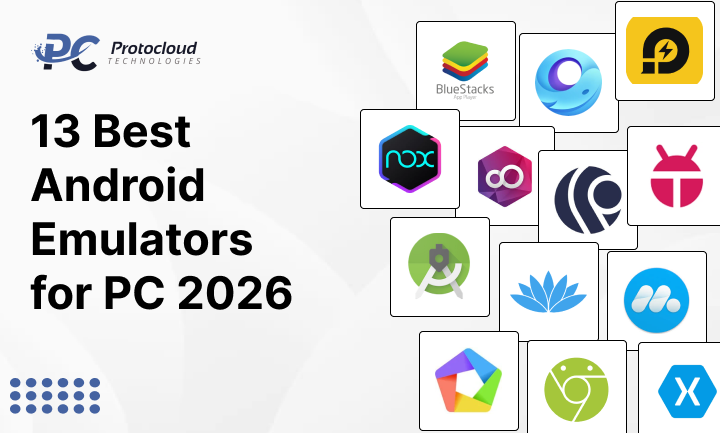
1. BlueStacks
BlueStacks is often called the best Android emulators for PC 2026 for gamers. It is very fast and has a huge library of supported games. It offers a high FPS mode that makes everything look buttery smooth. If you have a powerful PC, this is the one to beat.
2. LDPlayer
If you need a lightweight Android emulator that still packs a punch, try LDPlayer. It is optimized for performance. It doesn’t use as many resources as BlueStacks, making it a great best emulator for low-end PC. It is very stable for long gaming sessions.
3. NoxPlayer
NoxPlayer is famous for its multi-instance Android emulator features. You can open several windows at the same time. This is perfect if you play multiple accounts in a strategy game. It also has great support for game controllers.
4. Android Studio Emulator
This is the Android emulator for developers made by Google. It is the most accurate way to test an app. It is not for gaming, but it is perfect for coding. It is a bit hard to set up, but it is the “official” way to do things.
5. MEmu Play
MEmu Play is another strong Android emulator for Windows. It supports both AMD and Intel chips very well. It is a middle-ground option that works for both apps and games. The interface feels intuitive and smooth to use..
6. GameLoop
GameLoop is the official Android emulator for gaming for titles like PUBG and Call of Duty Mobile. It is built by Tencent. It has a special “anti-cheat” system that keeps the games fair. It is very fast for the specific games it supports.
7. Genymotion
Genymotion is a professional tool. It is often used for Android app testing on PC because it can mimic hundreds of different devices. It is a paid service, but it offers cloud-based emulation. This means you can run Android without using your own PC’s power.
8. PrimeOS
PrimeOS is a bit different. It feels more like a Windows 11 Android emulator because it gives you a desktop. It has a start menu and taskbar. It is great for productivity apps and making your PC feel like a giant Android tablet.
9. Bliss OS
Bliss OS is an open-source project. It is for people who want to truly customize their experience. You can even install it as a second operating system on your computer. It is very flexible but requires some technical knowledge to set up.
10. ARChon
ARChon is a very lightweight Android emulator. It actually runs inside the Google Chrome browser. You don’t need to install a huge program to use it. While it doesn’t work with every app, it is a quick way to run Android apps on PC.
11. KoPlayer
KoPlayer is a solid free Android emulator for PC. It is built for casual users who want a simple experience. It has a “one-click” recording feature. This is great if you want to record your gameplay and share it with friends.
12. MuMu Player
MuMu Player comes from NetEase. It is designed to be the fastest Android emulator 2026 for high-end graphics. It has very low latency, which means there is no lag between your click and the action on screen.
13. Xamarin Android Emulator
This is another tool for the pros. It is part of the Microsoft ecosystem. If you are a developer using Visual Studio, this is your best bet. It is built for enterprise AI adoption and heavy-duty app creation.
Best Android Emulator by Use Case

Choosing the best Android emulators for PC 2026 depends on what you are doing. If you are a hardcore gamer, go with BlueStacks or GameLoop. They focus on speed and graphics. You will get the best experience for big titles.
If you have an older laptop, look for the best emulator for a low-end PC. LDPlayer and MEmu Play are designed to work with less RAM. They won’t slow down your computer as much as the others. For developers, the Android Studio Emulator is the only real choice.
For those who want to use social media or work apps, PrimeOS or NoxPlayer are great. They handle keyboard typing and mouse scrolling very naturally. They make run Android apps on PC feel like a native part of your computer experience.
Performance and Speed: A Quick Look
How do these tools compare in a head-to-head Android emulator comparison? BlueStacks usually wins on raw features, but it uses the most RAM. You need a good computer to run it well. LDPlayer is faster to start up and feels snappier on mid-range systems.
In terms of the fastest Android emulator 2026, MuMu Player is a hidden gem. It has very high frame rates for games. However, it doesn’t have as many tools for developers as Genymotion. It is all about what you value more—speed or features.
- Gaming: BlueStacks, LDPlayer, GameLoop.
- Development: Android Studio, Genymotion.
- Lightweight: ARChon, MEmu Play.
- Productivity: PrimeOS, Bliss OS.
Are Android Emulators Safe to Use?
This is a common question. The short answer is yes, safe Android emulators exist. Most major brands like BlueStacks and Nox are completely safe. They’re relied on daily by millions of users around the world. However, you must be careful about where you download them.
Only download from the official developer websites. Never use a “modified” version from a random forum. These can contain malware. Also, keep your antivirus software running while you install them. This adds an extra layer of protection for your Android emulator for Windows.
Avoid entering very sensitive data, like your main bank password, into an emulator if you aren’t 100% sure about the source. For gaming and general apps, they are perfectly fine. Following these steps ensures your Android emulator for Mac stays clean and safe.
Free vs Paid Android Emulators
Most people only need a free Android emulator for PC. These versions usually have all the features you need for gaming and daily apps. They make money by showing a few ads or suggesting new games for you to try. It is a fair trade for such a powerful tool.
Paid emulators, like Genymotion, are for businesses. They offer extra features like cloud support and 24/7 technical help. If you are doing professional Android app testing on PC, a paid plan might be worth it. It gives you more reliability and more device options.
For 99% of users, the free versions of the best Android emulators for PC 2026 are more than enough. You get the same speed and compatibility without spending a dime. Just be prepared to see an ad once in a while.
System Requirements for 2026
To get the best results, your PC needs to meet certain Android emulator system requirements. In 2026, most emulators need at least 8 GB of RAM to run smoothly. If you want to play high-end games, 16 GB is even better.
You should also have a decent graphics card (GPU). This helps the emulator render the games without lagging. Another big tip: make sure “Virtualization” is turned on in your computer’s BIOS settings. Without this, even the fastest Android emulator 2026 will feel very slow.
- Minimum: 8 GB RAM, SSD, Intel i3 or AMD Ryzen 3.
- Recommended: 16 GB RAM, Dedicated GPU, Intel i7 or AMD Ryzen 7.
- OS: Windows 10/11 or macOS Monterey and above.
Conclusion: Picking the Right One
The best Android emulators for PC 2026 make your life easier and your games better. There is no “perfect” one, but there is one that is perfect for you. If you want to play the latest games, go with BlueStacks. If you want a fast, simple experience, try LDPlayer.
Don’t be afraid to try a few different ones. Most of them are free, so you can test them out. See which one runs the best on your specific computer. Whether you need an Android emulator for Windows or a specialized tool for work, you now have the best list to start from.
Start your Android journey on your PC today. You will be amazed at how much better your favorite apps look on a big screen.
Would you like me to create a step-by-step guide on how to optimize your PC settings for the fastest emulator performance?
Frequently Asked Questions
Which Android emulator is fastest in 2026? BlueStacks and LDPlayer currently lead the pack in speed. They are built for modern hardware.
Can I run Android apps on a low-end PC? Yes! Use a lightweight Android emulator like MEmu Play or LDPlayer. They are designed for older systems.
Are Android emulators legal? Yes, they are legal. They are just software that mimics an operating system. However, downloading “pirated” games to play on them is not legal.
Do they support the Google Play Store? Most of the best Android emulators for PC 2026 come with the Play Store pre-installed. You just sign in and go.























































Leave a Reply